
Professional Auto repair Invoice Templates
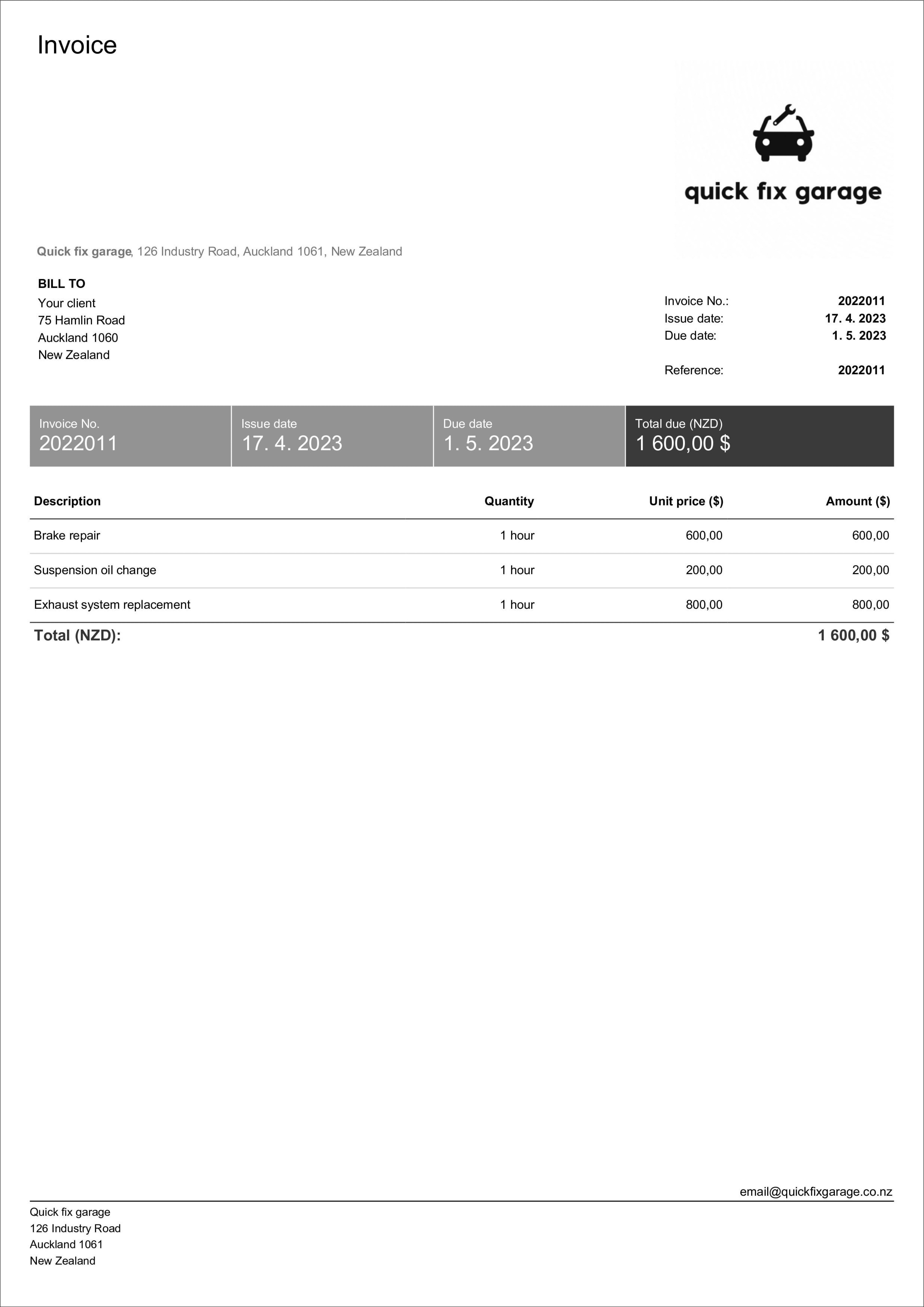
Looking for auto repair invoice template examples? Check our designs, choose the one that fits you the best, and create your mechanic invoice.
Looking for auto repair invoice template examples? Check our designs, choose the one that fits you the best, and create your mechanic invoice.
You do not need to spend time going through all the invoice templates available on the internet. We have created a free invoice forms that you can easily edit or download to your computer. Select your preferred format and start using the template now.
These are typical items that can be displayed on auto repair invoice:
Labor costs - the cost of labor represented by total amount of hours that were spent on repair broken down for individual workers and their hourly rate.
Costs for parts - total costs for all parts that were either replaced or used for repair that should communicate part number, description, quantity and price.
Vehicle information - invoice can also include information about the repaired vehicle such as the make, model, year and mileage at time of repair.
Warranty information - any warranty or guarantee offered by a repair shop that covers information about length of warranty, items covered and any conditions that may apply.
Using an auto repair invoice template helps you create consistent billing documents for every customer, so you don't miss key information like the repair order number, vehicle details, parts, labor, tax, and payment terms. For the customer, a clear breakdown of repair services shows exactly what work was done, what items were used, and how the total costs were calculated. It also helps your auto repair business keep records in one place for account and warranty needs, and makes it easier to reference earlier work when a customer returns for maintenance. If you invoice clients often, templates reduce re-typing, help you save time, and keep your documents looking professional.
Have you not found your desired template? We have more free templates in our Free Generator.
If you're looking for a free invoice template or a downloadable free option, make sure it includes the fields you need: customer details, vehicle details, parts and labor line items, tax, discounts, payment terms, and additional notes. A free auto repair or repair invoice template should also leave room for your company branding and your service categories (diagnostics, parts replacement, and other auto repair services). If you plan to edit often, choose a free auto repair invoice template Word version; if you need automatic totals, choose Excel or Google Sheets. For a more guided process, a mechanic invoice template in an app can help standardize work descriptions and reduce billing errors.

Do you want create professional auto repair invoices? Be sure to implement some of these tips so you can impress your clients.
Allow multiple payment options - make your invoices easy to pay by including options for electronic payments, card payments, and more.
Personalize your invoices - create a personal connection with your client by personalizing each invoice as much as possible for any particular project.
Add all important dates - always state the issue date, delivery date, and, most importantly, payment due date.
Highlight important information - if there is something important that your client should be aware of, make sure to add it to the "Note" section.
Attach a timesheet and expense report - make it easy for your clients to understand what they are paying for by attaching additional documents.
Include your company logo and signature - make your invoices easily recognizable as authentic by adding your logo and signature.

An auto repair invoice is a document provided by an auto repair shop that contains all the services provided on a client's vehicle with all the associated costs. It typically includes information such as the date of service, provided service with description, parts that were used for such service and labor costs, taxes, and discounts or promotions if there are any.
The invoice may also include information about the repaired vehicle, for example the make, model, and year, as well as any additional notes about the condition of the vehicle. The auto repair invoice serves as a record of the services performed, and it may be used by the client for insurance purposes or as proof of payment.
You can create an auto repair invoice easily with our auto repair and mechanic invoice templates. Just make sure to include all the necessary information, like your business' and the client's name and contact information, the services provided, and their respective prices.
Don't forget to include all the important dates, the invoice number, tax, and discount if applicable.
You can try the process for yourself in our Free Online Invoice Generator, where you can create invoices easily in just a few steps.
If you're issuing an auto repair invoice include your business and the client's name and contact information, the services provided, and their respective price. Don't forget to include all the important dates, the invoice number, tax, and discount if applicable. Additionally, you should include costs for all parts that were used and labor costs for the job done.
You can try the process for yourself in our Free Online Invoice Generator, where you can create invoices easily in just a few steps.
An auto repair invoice and mechanic invoice often refer to the same type of document with different terminology. Both invoices provide information about provided services for client's vehicle with final price along with associated costs for parts and labor and so on.
There are some cases where the auto repair invoice may be user more broadly to refer to invoices provided by other types of automotive services providers, such as dealerships, body shops, car wash and detailing services. On the other hand, mechanic invoice is typically connected with independent mechanics and technicians that are specialized in repairs and maintenance services.
A parts and labor invoice is a document that represents the cost of parts and labor associated with a specific service that was provided. It serves as a transparent breakdown of all the costs that can help clients to understand what they are paying for. As for parts section of the invoice, it contains a detailed list of all the parts and their costs during the project. The labor section of the invoice lists the amount of time spent on the job and hourly rate charged by provider.
Yes, certainly. There's possibility to add taxes and discount on all our auto repair invoice templates that are ready to download. All fields are fully customizable so you can fully tailor your car repair invoice to your business needs.
To list parts and labor separately on your auto repair invoice, create two distinct sections: one for 'Parts' listing each component with part number, description, quantity, and unit price; and another for 'Labor' showing each service performed with time spent and hourly rate. This breakdown helps customers understand exactly what they're paying for and makes it easier to apply different tax rates if required. Most invoice templates include these sections by default, or you can add custom line items in our free invoice generator.
Your idea is only the beginning. Push forward, we've got your back! Add services, manage bookings, products, quotes—of course, all from a single app. Grab your instant link billdu.me/yourname, share and start selling today.
The best format of invoice for car repair is the one that suits your business the best. If you're looking for something easy-to-use, we definitely recommend downloading our auto repair Word invoice templates. In case you need more complex invoices with calculations, you should go for Excel or Google Docs invoice template.
If you're not sure about what template to use, we offer generating PDF invoice template in our Free online invoice generator where you can create invoice in a few clicks and all calculations will be done automatically.
Yes, there's a way to track all your payments and expenses in dashboard or reports. Moreover, you can track all your invoices and their statuses in real-time overview - you can use all of this for free in Billdu app - you can try it right now with 30-day free trial.
Professional invoice templates are not the only thing we offer. With Billdu you can grow business even more.

mobile and web app
Create your invoice templates directly in our app and keep your documents at one place and access them whenever you like. You can try it out with 7-days free trial.

2X FASTER PAYMENTS
Add a Pay Now button to the bill template and get paid up to 9 days sooner by accepting payments from online payment services. Nothing cheers up more than a settled bill!

dashboard and documents
Don't limit yourself with invoices only. Create estimates, quotes, delivery notes and more. Keep the track with our dashboard that gives you the greatest comfort for operating and monitoring your business.
Make the invoice easy to review and easy to pay. Add a payment due date, accepted payment options, and late fees (if applicable) directly on the invoice, and keep totals clearly visible. If you use invoicing software or an app, you can send the invoice by email right after the job is finished, include a Pay Now link, and follow up automatically if a customer hasn't paid. Also, confirm customer contact details before you start the work, and keep notes about approvals or changes to the repair order to reduce disputes and speed up billing.

Sign up now for a 30-day free trial and get 20% off on your first subscription
By signing up you agree to Terms of use and Privacy policy