
Credit Notes with Billdu

DAVID FAČKO
11 min
Published: August 10, 2019
|
Updated: April 23, 2026

With everything you have to keep track of, a credit memo is just another important document. If you’re wondering, “What is a credit note?” this article is for you.
We’re going to go over the credit not meaning, give you a credit note example and tell you how to make an easy credit note template. This way, you’ll have everything you need to successfully incorporate it into your business if you haven’t done so already.
Credit Note Definition
People may call it a credit note or a credit memo, and this is short for credit memorandum. Credit notes are commercial documents that a seller makes up and sends to their customers. They let the customer know that they either have a credit on the account or that the supplier is going to apply a credit to the account.
This credit note lowers the amount due for the products and services by the customer. It also allows the customer to purchase other goods or services if the amount they owe is $0 when the seller applies the credit.
Credit notes usually total the total value of products or goods the customer returns to the seller. However, it can also be less than the original price the buyer paid if the seller takes a percentage for restocking or shipping fees.
There are a few reasons why a seller or supplier may choose to issue a credit note, and they include but are not limited to:
- The customer accidentally overpaid what the seller had listed on the original invoice
- The original invoice had a price mistake
- The products or goods arrived to the customer damaged (damage usually happens in transit)
- The customer rejected the services or returned the products for whatever reason
The supplier will list all of the products, prices, and quantities both parties agreed on in the first invoice. There’s usually a spot on the credit note that references the original invoice number and why the supplier wants to issue a credit note.
Usually, credit notes go toward a future purchase. But they can also come as a monetary note.
Credit Memo Example
Say that your Business is Business A, and you sell $10,000 worth of products to Business B. Unfortunately, $2,000 of the products got damaged in transit, and Business A informs you of this damage when they get the physical shipment of products.
In order to correct this, Business A would issue a credit note for $2,000 to Business B. In turn, Business B only has to pay a total of $8,000 for the products due to $2,000 getting damaged in transit.
A second example would be a customer purchasing clothing from a retailer only to find that they don’t fit like they thought it would. The customer can return the clothing to the retailer, and the retailer will issue store credit for the customer to use on future visits.
Credit Memo Journal Entry
We’re going to give you a credit memo journal entry example from both the seller and the buyer. This way, you’ll understand the exact credit note meaning and what it looks like from both ends.
Seller’s End
Goods or products a customer returns to a seller is a sales return. A sales return always leads to:
- Decrease in the revenue the seller previously had for sales
- Decrease in the assets because the debtor will not make the full payment anymore
| (Debit) – Sales Return Account | Rule – Debit the Revenue Decrease |
| (Credit) – Debtor’s Account | Rule – Credit the Asset Decrease |
Buyer’s End
Goods or products returned by the buyer are called a purchase return. A purchase return always leads to:
- Decrease in your liability to pay your seller
- Decrease in the expenses you incurred to buy those products or goods
| (Debit) – Creditor’s Account | Rule – Debit the Liability Decrease |
| (Credit) – Purchase Return Account | Rule – Credit the Expense Decrease |
What to Include in Your Credit Note
The more specific you are with the contents of your credit note, the more you cover yourself in the event of a problem later down the line. Many software systems will prompt you to fill in this data automatically. But it can be helpful to see exactly what you need in a short list to help ensure you include it all.
Every credit note should have:
- A new credit note number and date
- Amount of the credit
- Any tax included in the credit (if applicable)
- Contact information for both your business and the customer, (first and last names, phone numbers addresses and email addresses)
- Data from the original invoice, including invoice number, date, items, and quantities
- Payment terms
- Reason for the credit
The invoice number is critical because this will help you match your credit memo to the original invoice in the account. In turn, you can use this data to help keep everything organized if you have to pull it up again.
Again, be specific. Write notes and outline exactly why the customer wants to return items and how much the items are worth in terms of a credit.
Reasons to Use a Credit Note
There are several reasons why you’d want to use a credit note for your business. The biggest one is to help protect your business and assets. However, a few other important reasons include but are not limited to:
- Overcharging – Simple arithmetic mistakes can result in overcharging on an account. You could credit them the amount you originally overcharged to make it reflect what the person actually purchased.
- Customer Returns or Rejects Products – Maybe the products weren’t what the customer envisions, and they flat-out reject or return them. If so, you would issue a credit note when you retake possession of the physical products.
- Discounts – You may issue a discount on the product after you ship it. For example, maybe the customer wasn’t completely happy, but they accepted a discount to make it better.
- Wrong Product – Mistakes happen, and you could accidentally ship an incorrect product. Your customer returns it, you issue a credit note, and they purchase the correct product using the note again.
- Short Payments – Sometimes, it’s much easier to simply use a credit memo to write off any customer short payments you may have on your books. You can issue these payments and make a note on the account at the same time.
Credit Memo vs. Invoice
It’s easy for a lot of people to mistake a credit memo and an invoice, but they’re two completely different items. A credit memo is a reminder for the company that they owe the buyer a credit for something like damaged goods or rejected services.
An invoice is an itemized list of products or services that a company owes to the vendors, suppliers, etc. As you make payments on your invoices, you’ll get a running total for each month you don’t pay it in full. It could result in late fees depending on your original agreement.
Both credit memos and invoices are essential to helping keep your business in order and keep everything neatly sorted. This way, if there ever is a problem, all you have to do is pull up the respective invoices or credit memos and see what transactions or notes you have on them. It’s an excellent way to prevent any confusion on either party’s sides.
Creating a Credit Note with Billdu
Billdu is software that makes it fast and easy to create credit memos using credit memo templates. We’re going to give you a step by step tutorial that will walk you through exactly what you need to do to create and track your credit notes. Whether you want to make one or make multiple, Billdu can help.
Step One – Create Your Account
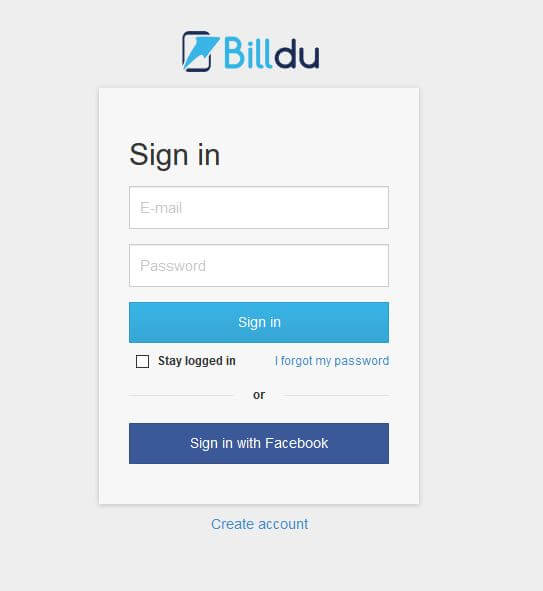
First, you want to visit Billdu.com and click “create account” under the login button. This will open a new tab where you can input your Business Name, email, and pick a password. When you have this, you can click “create account,” and it’ll take you to your dashboard to start making your credit memorandum.
Step Two – Explore Your Dashboard
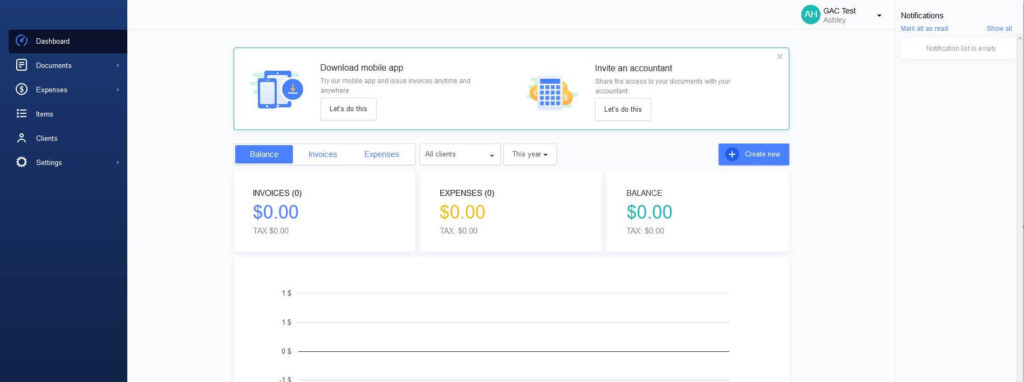
Your dashboard is your centralized hub where all of your invoices and credit notes will end up once you create them. You should take a few minutes and explore a bit to see what Billdu offers. There are hosts of documents, items, and expense templates you can use. Once you’re comfortable, you can move on to starting to create your first credit note.
Step Three – Locate Your Credit Notes
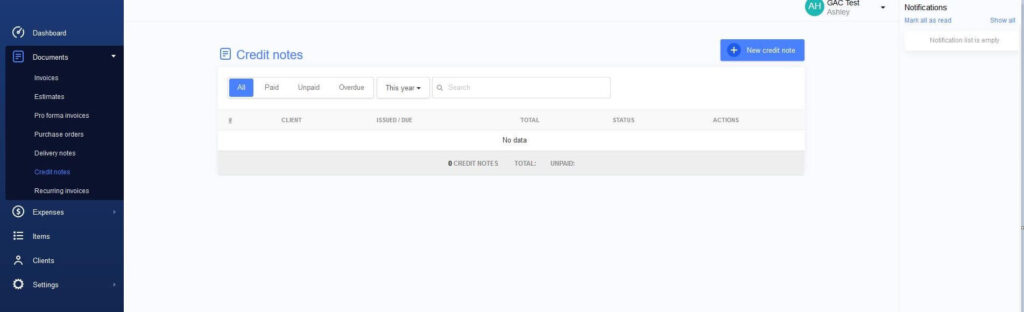
If you take a look at the left side of your screen, you’ll see that Documents, Expenses, and Settings all have small arrows that open to a drop-down menu. If you click the arrow next to “Documents,” you’ll see that Credit Notes is the sixth item on the list. You want to click it to open the template in the dashboard.
Step Four – Start Creating Your Credit Note
When the credit memo template opens in the dash, you’ll click on the blue ” +New Credit Note” button up on the right side. This will open up the credit note and prompt you to start filling in your relevant information.
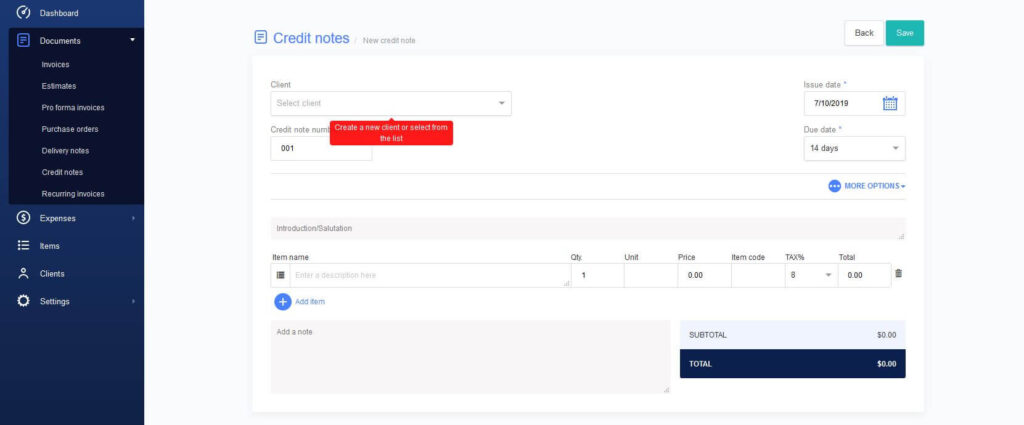
To start, you’ll fill in your client and a credit note number. Your credit note numbers should go in sequential order to help you keep everything organized. When you fill that in, you can click the “More Options” icon on the right in the middle of the invoice. This will open another area where you can input your reference, payment method, currency, language, and discount if you plan to offer one.
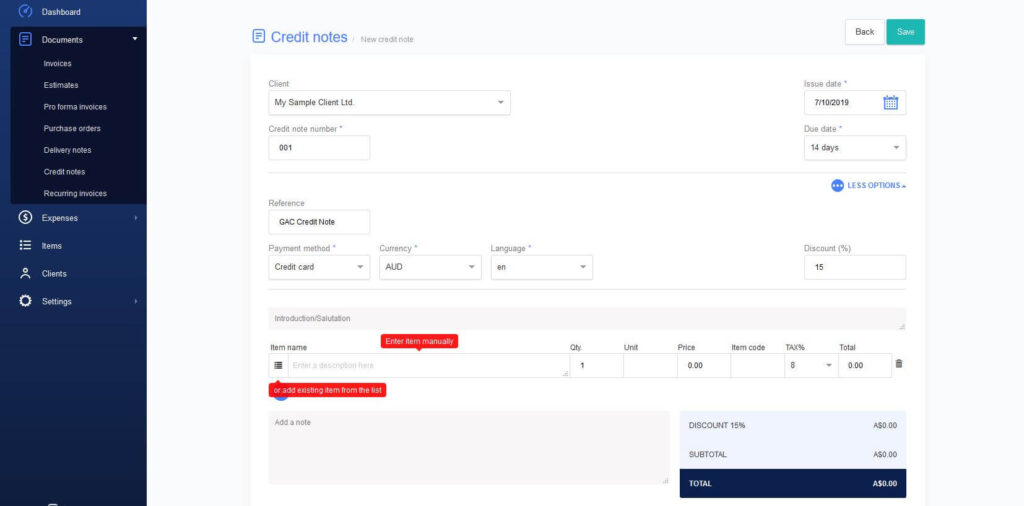
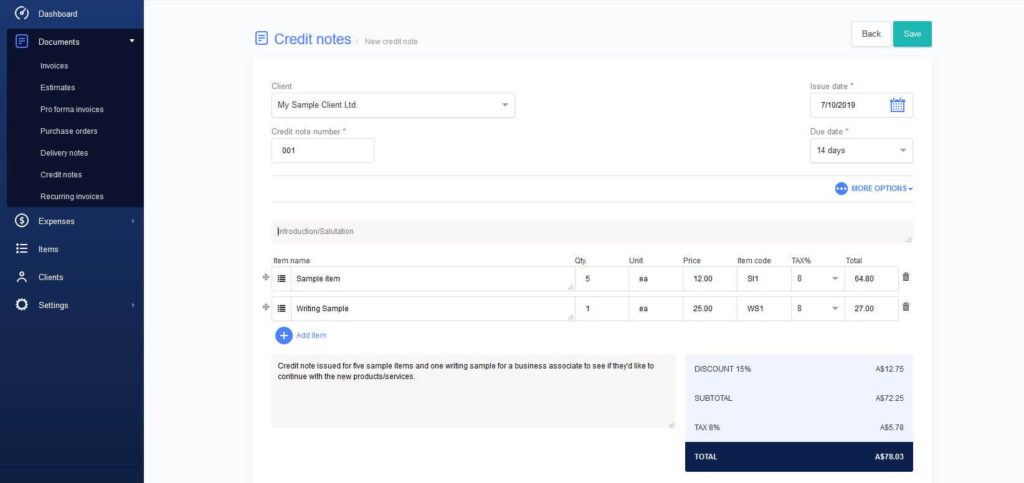
When you finish there, you can click “Less Options” to close it back up and move to the next section of the credit note. In the bottom area of your credit memo, you’ll fill in a short introduction (optional, the item name, quantity, unit, price, item code and tax). The software will automatically total everything up for you as you continue to add, and it’ll remove any discounts you put in one step earlier. There is also a space to write notes, and it’s a good idea to take advantage of this area with specific account-related notes.
Step Five – Save and Generate Your Credit Note
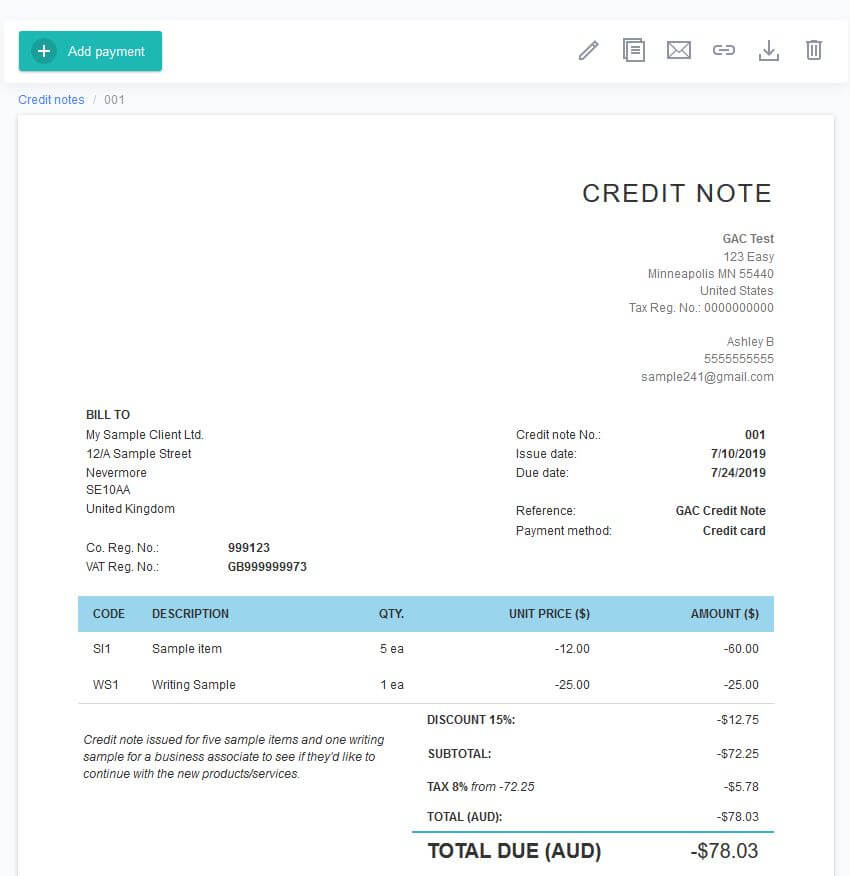
Once you have everything filled in and totalled in your credit note, you can click “save.” This will take everything you put into your credit note in step five and give you a professional credit note template. You can go back and edit it again if something isn’t correct, duplicate it, send it via email, download the PDF file, or get rid of it. If your customer were to pay even more, you can click “add payment” to put the amount and date to update the total credit amount.
Step Six – Monitor Your Credit Notes and Adjust Them Accordingly
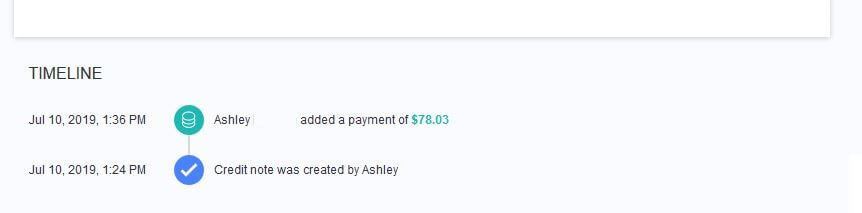
Every time someone updates your credit note, the note will keep a running timeline at the bottom of the page. This allows you to see at a glance which user modified the credit note in the event of a discrepancy.