

DELIVERY NOTE EXCEL TEMPLATE
Looking for a delivery note Excel template? Browse our designs, choose the one that fits you best, and create your delivery note in minutes.
Looking for a delivery note Excel template? Browse our designs, choose the one that fits you best, and create your delivery note in minutes.
You don’t need to trawl through every delivery note template on the internet. We’ve created free, professional delivery note templates you can edit or download to your computer. Select your preferred format and start using the template now.
A delivery note (also called a dispatch note or goods received note) is a document that accompanies a shipment and lists the goods and quantities being delivered. Businesses use delivery notes to keep track of what leaves and arrives, customers use them to check they received everything they ordered, and a signed delivery note serves as proof that the delivery was completed.
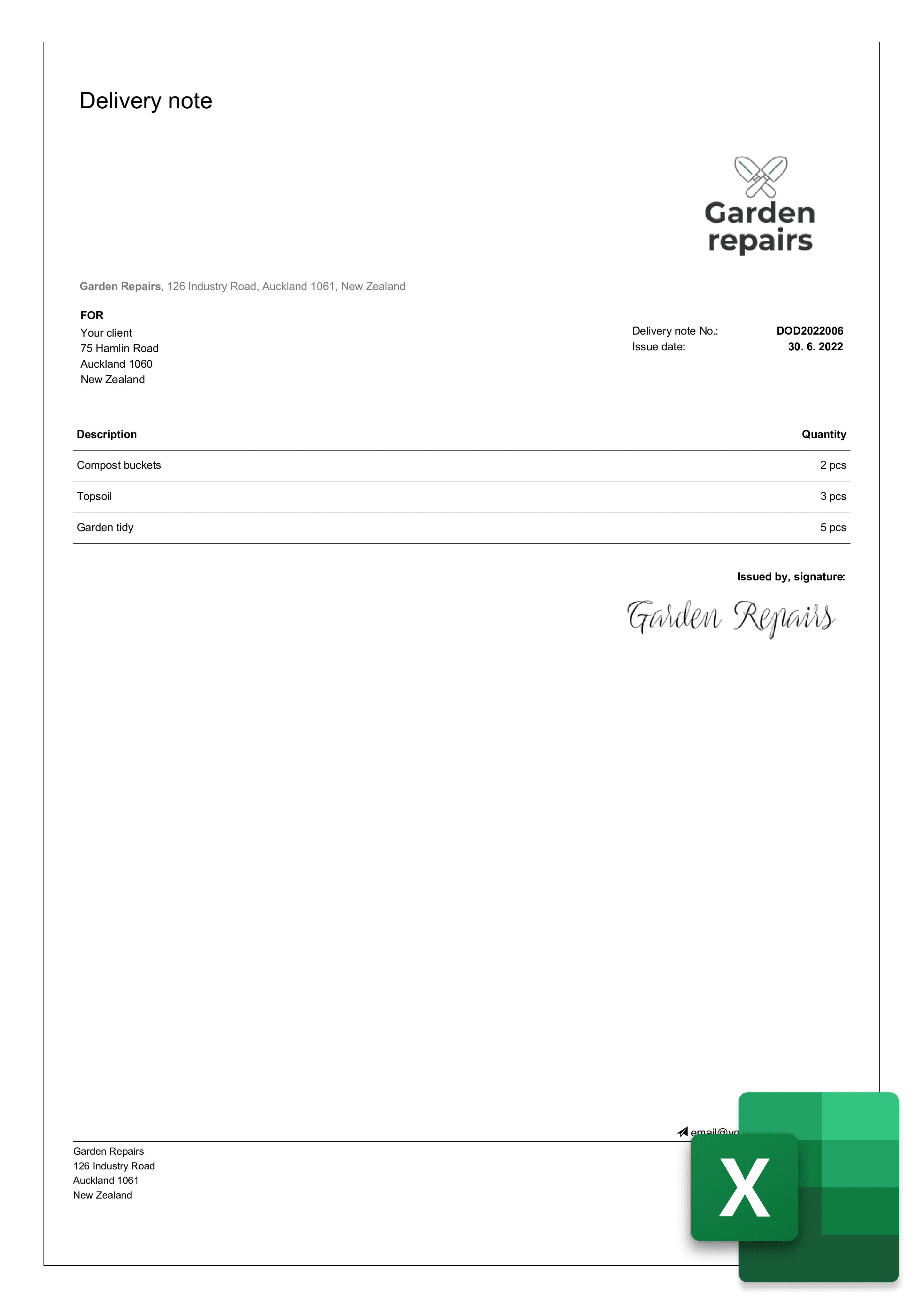
A delivery note should include the following:
the term “Delivery Note”
supplier and customer details (name, address, contact)
issue date and delivery date
a unique delivery note number
a description and quantity of the goods delivered
a space for the recipient to sign on receipt (recommended)

A delivery note is not the same as an invoice. The delivery note confirms what was shipped and received; the invoice requests payment and is where prices, totals and any VAT belong. Many businesses put the same order or invoice number on both documents so the paperwork stays matched and easy to find later.

Step 1 - Add your details. In Excel, enter your company details (name, address, contact) and the customer or recipient details.
Step 2 - Add dates and a reference. Include the order reference, issue date, dispatch date, delivery date, and a unique delivery note number so each document is easy to track.
Step 3 - List the items. Add a table for the goods or services delivered, with a clear description and quantity for each line.
Step 4 - Add a note and confirmation. Include a “Note” area for special instructions and a confirmation line for goods received, with the recipient’s name, the date, and a signature field.
Step 5 - Save it as a reusable template. Save the file as your Excel delivery note template, then download a print-ready PDF whenever you need to send one with a shipment.
Excel is a good choice when you want structured tables, automatic numbering, and a consistent layout across many deliveries. Word suits simple, one-off layouts but is harder to keep tidy for long item lists. PDF is best for the final document you send or file, especially once it has been signed. If you handle frequent deliveries, dedicated invoicing software can generate documents faster and store signed proof of delivery for you — Excel is fine to start with, but software helps as you grow.
Haven’t found the template you need? There are more free options in our Free Delivery Note Generator - create your document and download it as a PDF.
Want to create professional Excel delivery notes? A few simple habits will help you impress your clients:
Personalise each delivery note - tailor it to the client so it feels considered, not generic.
Always state the key dates - include both the issue date and the delivery date.
Highlight anything important - add anything the client should know to the “Note” section.
Add your logo and signature - make your delivery notes instantly recognisable and harder to fake.

Professional templates aren’t the only thing we offer - with Billdu you can grow your business even further.

mobile and web app
Create your documents directly in our app, keep them all in one place, and access them whenever you like. You can try it with a 7-day free trial.

2X FASTER PAYMENTS
Add a Pay Now button to your documents and get paid up to 9 days sooner by accepting online payments. Nothing feels better than a settled bill.

dashboard and documents
Don’t limit yourself to invoices. Create estimates, quotes, delivery notes and more, and keep track of everything from one dashboard built to make running your business easier.
No. A delivery note confirms what goods were delivered and received, while an invoice requests payment for them. The two often share an order or invoice number so they can be matched, but only the invoice shows prices, totals, and any VAT.
The words “Delivery Note”, your and your customer’s details, the issue and delivery dates, a unique delivery note number, a description and quantity of the goods, and a space for the recipient to sign on receipt.
In most cases a delivery note isn’t legally mandatory, but it’s strongly recommended. It gives you proof of dispatch and delivery, helps the customer check their order, and settles disputes about what was sent. Keep it filed alongside the matching invoice.
They’re very similar and the terms are often used interchangeably. A packing slip usually lists only the items and quantities inside a shipment, while a delivery note can also include delivery details and a signature confirming receipt.
Yes. Fill in the Excel template, then save or export it as a PDF before sending — that locks the layout so it looks the same for the recipient. You can also use our free delivery note generator to create one online and download it as a PDF.


Sign up now for a 30-day free trial and get 20% off on your first subscription
By signing up you agree to Terms of use and Privacy policy